





New update adds popular Yealink T4X phones as router phones
Version 18 Update 8 is a big update continuing our focus on simpler setup, improved integrations, and more configuration from Admin Console. It's also likely our last major update to version 18. Read on for a recap of our significant achievements over the last weeks as well as the addition of new Yealink router phones.
Update 8 Key Features
- Simpler and better integration with Office 365
- Search 365 contacts from within 3CX
- Improved CRM integration - Search CRM contacts from within 3CX
- New reports interface from within Web Client
- Yealink T4 phones can now be used as router phone
- Also: Rewriting of shopping cart
New: T4U Yealink Series Added as Router Phone
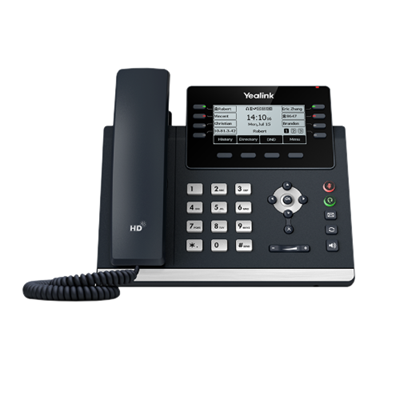
We already have a considerable list of phones that can function as router phones. New in this update, however, is the addition of the Yealink T4U series. This is a popular phone and likely to already be present in many 3CX installs worldwide - meaning you can upgrade this phone to act as a router phone and avoid the need for a dedicated SBC - and in many cases without having to buy a new phone.
Office 365 - Simplified Configuration and Enhanced Integration
With Update 8, the process of setting up Office 365 integration has been streamlined, as the creation of the O365 Application on Azure is now automated. This transition to the latest 365 API offers superior reliability and security, more reliable synchronisation of users and contacts, better event logging for troubleshooting, and automatic certificate renewal!
MS 365 Contact Search and Creation Made Simple
You can effortlessly create a contact in MS 365 for calls from unknown caller IDs and add or look up your MS 365 contacts from the Web Client.
SharePoint for Backups and Recordings
SharePoint can now be employed for backups and recordings. If you have previously set up 365 integration, you will need to reconfigure the app after upgrading. For additional information, refer to the 'How to Integrate your PBX with Microsoft 365' Guide.
CRM Integration for Contact Addition and Searching
Following this update you can now populate your CRM with contacts from inbound calls via the web client, as well as add to and search your CRM contacts directly from the Web Client. This powerful feature facilitates access to all your phone books, whether they're in your CRM, Microsoft, or 3CX!
Web Client Reporting More User-friendly
Reporting undergoes a transformation in Update 8, transitioning from the Management Console to the Web Client. Dependable data, covering aspects from calls and chats, to queues, ring groups, and even individual agent performance, now provides business insights in a more user-friendly and enhanced format. Please remember, access is restricted to managers or owners.
Simplifying IP Phone Provisioning & Management Even Further
If you remember, in Update 6, we overhauled our RPS provisioning server to become the primary means of phone provisioning for cloud and StartUP/Small Business instances. Update 8 expands on this, enabling you to utilize the RPS even for on-premise 3CX installations.
Manual configuration or via option 66 is still possible. With Update 8, you can now also provision Legacy phones - such as Avaya - which necessitate the auth ID to be an extension number. Learn how to provision IP phones.
It should be noted that RPS necessitates Split DNS, which will now be a requirement for all future installations and will be enforced in the subsequent version of 3CX.
New Dashboard page in Admin Console
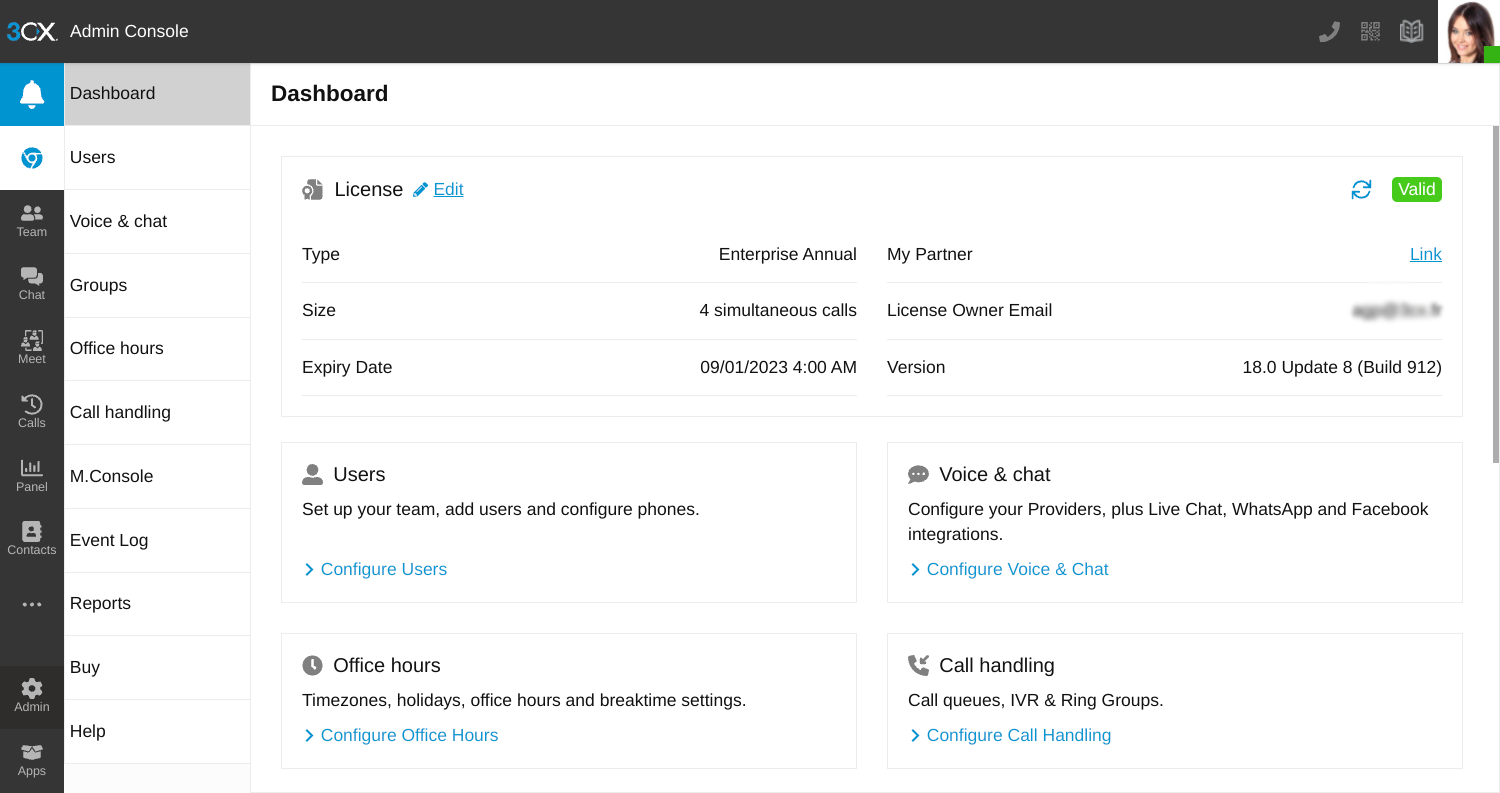
The administrative section of the Web Client has been renamed as the Admin Console. We've introduced a Dashboard that displays the status of your license key. Additionally, license key information and owner details are now shown with the option to update the license key owner details. The event log gains prominence and is set to be the primary troubleshooting resource for administrators moving forward.
As a reminder - to gain access to the Admin Console, you must be a system owner or system admin.
Alerting you with Pop-Up Warning Notifications!
In this release, we've integrated two warning pop-up banners into the product.
Product Registration Errors
Again as a reminder - from our communication back in March 2023, we had signalled the arrival of pop-up notifications in the Web Client for all users with incorrectly registered 4 SC FREE Subscriptions. This feature has now been enacted. To correctly register your account, you will need to follow the steps outlined.
Assigning System Owner Rights to an Extension User
The second warning alerts existing users about the need to assign System Administrator/Owner privileges to an extension. You can follow these steps to assign system owner rights.
Bridged PBXs Must Have Valid FQDN for Increased Trust and Security
From update 8, bridged PBXs need to have a fully qualified domain name FQDN i.e. “office2.3cx.com” rather than an IP "54.4.4.55". This change is required for better security. For information on how to connect 2 remote 3CX systems together - allowing calls between branch offices for free - with the very simple utilization of your existing internet connection follow this guide.
Desktop App Includes TAPI Support
The Desktop App now includes TAPI support, allowing enterprise integration with Datev and others to connect with 3CX PBX. It’s an integration that brings some key advantages:
- Telephone calls can be initiated or accepted by other applications.
- Call data can be recorded and saved in a journal.
- Automatically saved caller data can be displayed and new contacts can be created.
3CX Multi Line TAPI is a plugin and does not require a special 3CX FREE / Small Business or dedicated license. To install the plugin, you need to download and run the installer from the desktop app. Installation and configuration instructions can be found here.
In a Nutshell…
- Enhancements to Live Chat now include the functionality of automatically going offline if the Group is outside of office hours or on a break.
- The return of the Plantronics Spokes SDK is here! A new MSI release has resolved their certificate issue. If you're already using Plantronics, it's provided as is. Any support issues must be directed to the vendor.
- New SIP Trunk Providers have been added to our growing list. You can check out the full, updated list of Supported SIP Trunk Providers here.
How to Get V18 Update 8
This is the final of version 18 update 8 and is suitable for production systems. Users can access the update from the management console. Update to "New 18.0 Update 8 Final"
View the complete changelog here.
Join Us at U8 Webinars
Register to our free 3CX webinars next week to explore U8 features and improvements. Don’t miss out, reserve your spot now!
Tell Us What You Think
Tried and tested! We know you like our product as much as we do. We value your opinion. So let’s meet in the Forum. We’re looking forward to your feedback!
Stay Informed
Hit the follow button on Twitter and LinkedIn for blog updates.









 Copyright © 2026